
Booklet Printing: What to Consider as You Begin to Design
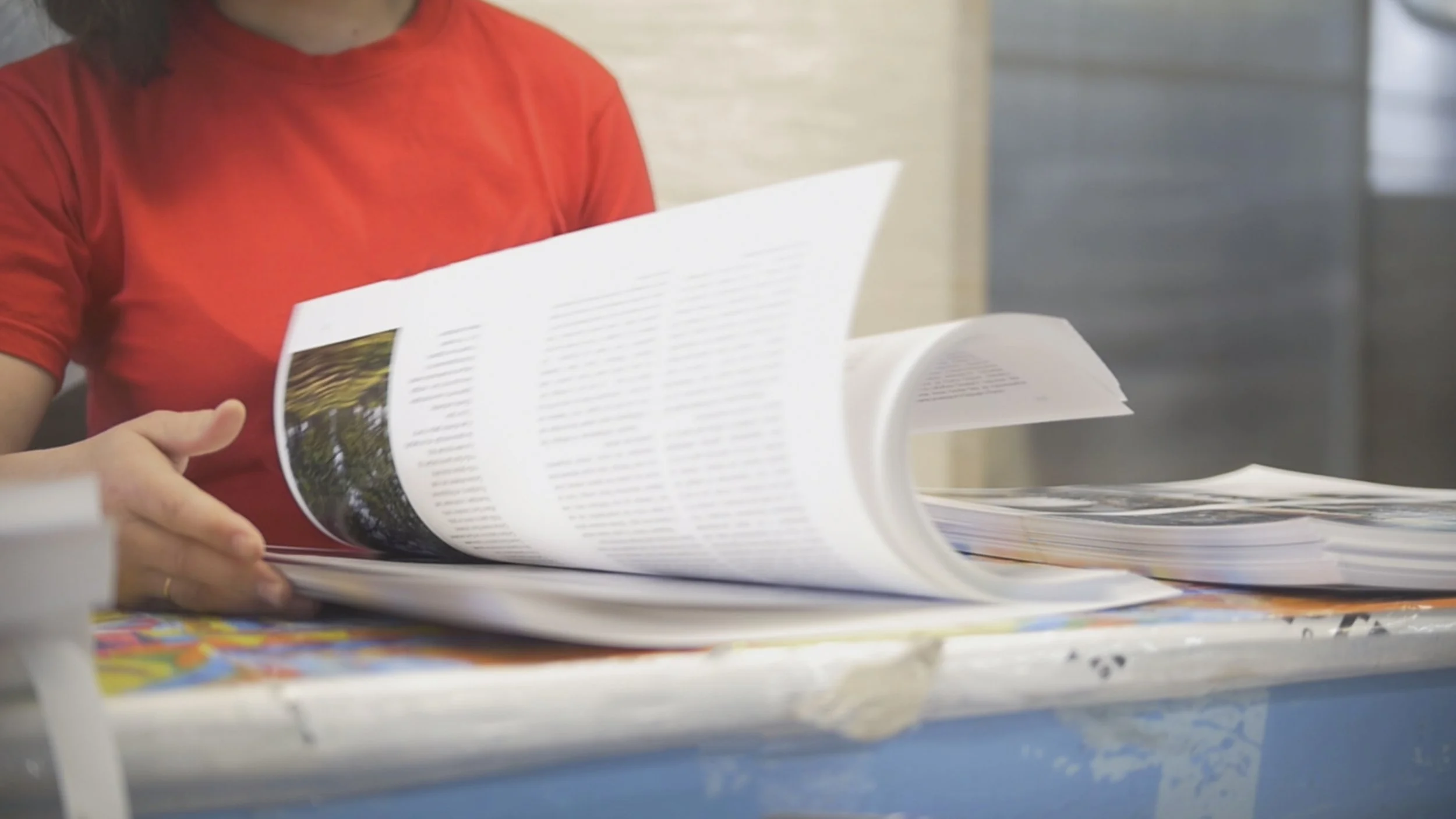
Programs, playbills, catalogs, manuals, newsletters, instructional materials…are produced as booklets.
Booklets remain one of the most effective print formats. But creating print-ready files requires an understanding of a few technical fundamentals that can make or break your final product. Here's what you need to know.
Think multiples of four
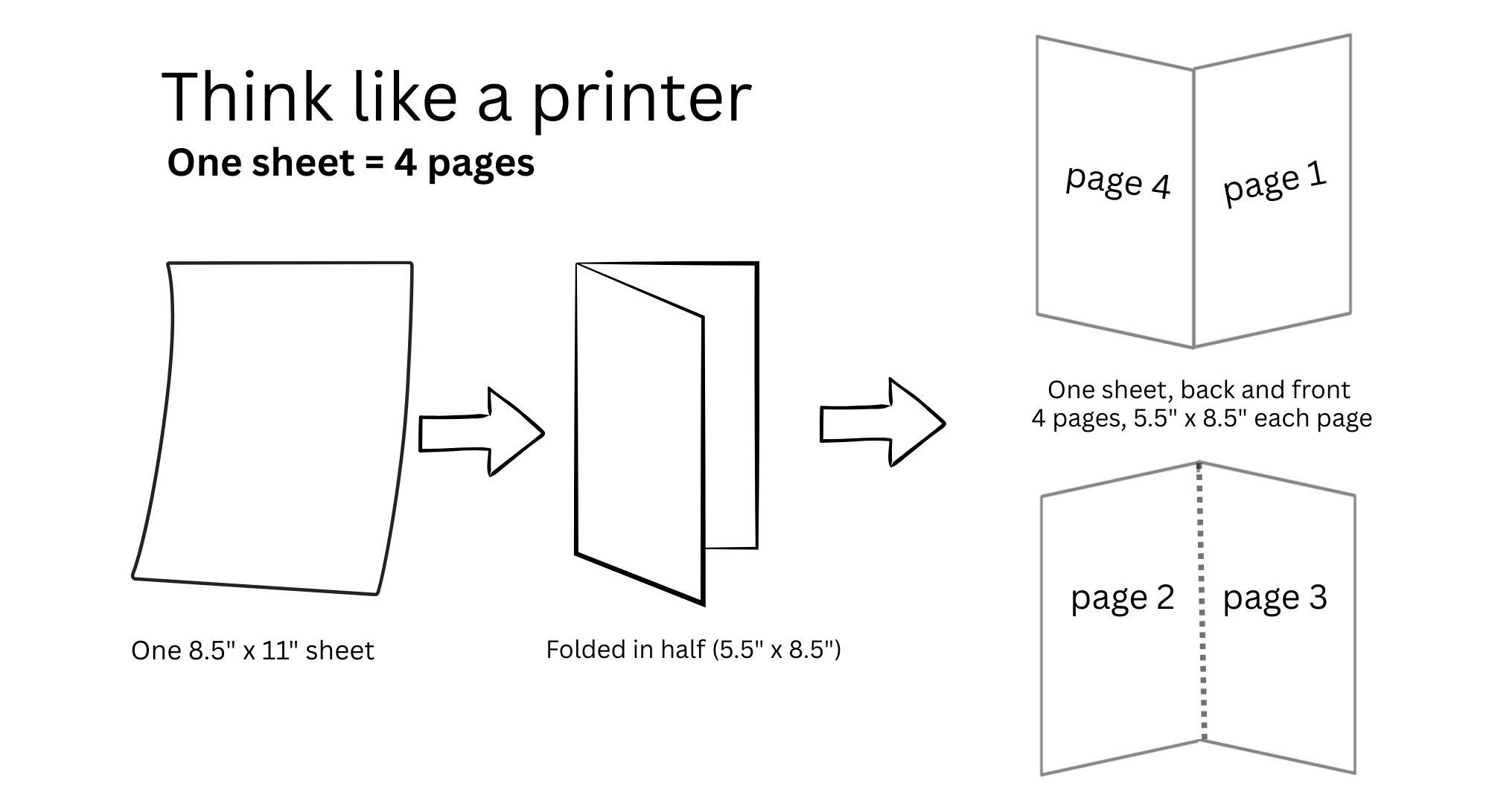
Rule #1: Booklets are printed in multiples of 4. It’s the most important rule in booklet printing: Your page count must be divisible by four. This isn't arbitrary—it's based on how booklets are printed and bound.
Imagine a sheet of paper. Fold it in half. Now you have 4 ‘pages.’ Each folded panel is a page. Each sheet of paper creates four pages when folded (front and back, plus two inside-facing pages). In your booklet design, the page counts should be 8, 12, 16, 20… If your content is 26 pages, you'll need to add two blank pages to reach 28. Plan your content accordingly during the design phase to avoid awkward blanks at the end.
Paper choice
When choosing paper for a brochure, start with how it will be used—whether it’s handed out at a trade show, mailed, or used as a program or manual. Paper weight and finish matter: lightweight stocks can feel flimsy, heavy stocks may not fold well, and finishes range from glossy for vibrant photos to matte or silk for a more refined look.
It’s also worth considering sustainable options, such as recycled or FSC-certified papers, which deliver quality without compromising environmental goals. When in doubt, a quick conversation with your printer can help you balance design, budget, and the impression you want to make.
Booklet file setup: Pages vs. spreads
Submit your files as single pages in reading order, not as spreads. While your final booklet will have facing pages, your printer handles the imposition—the process of arranging pages so they print in the correct sequence when folded. Sending individual pages (1, 2, 3, 4...) prevents errors and gives your print provider flexibility in production planning.
Export as high-resolution PDFs with embedded fonts and images at a minimum DPI of 300. Include bleed (typically 0.125" on all sides) for any elements that extend to the page edge. Whether you're designing in InDesign, Illustrator, or Canva, ask your AV Graphics sales rep about preferred print-ready file formats.
What is ‘Bleed’
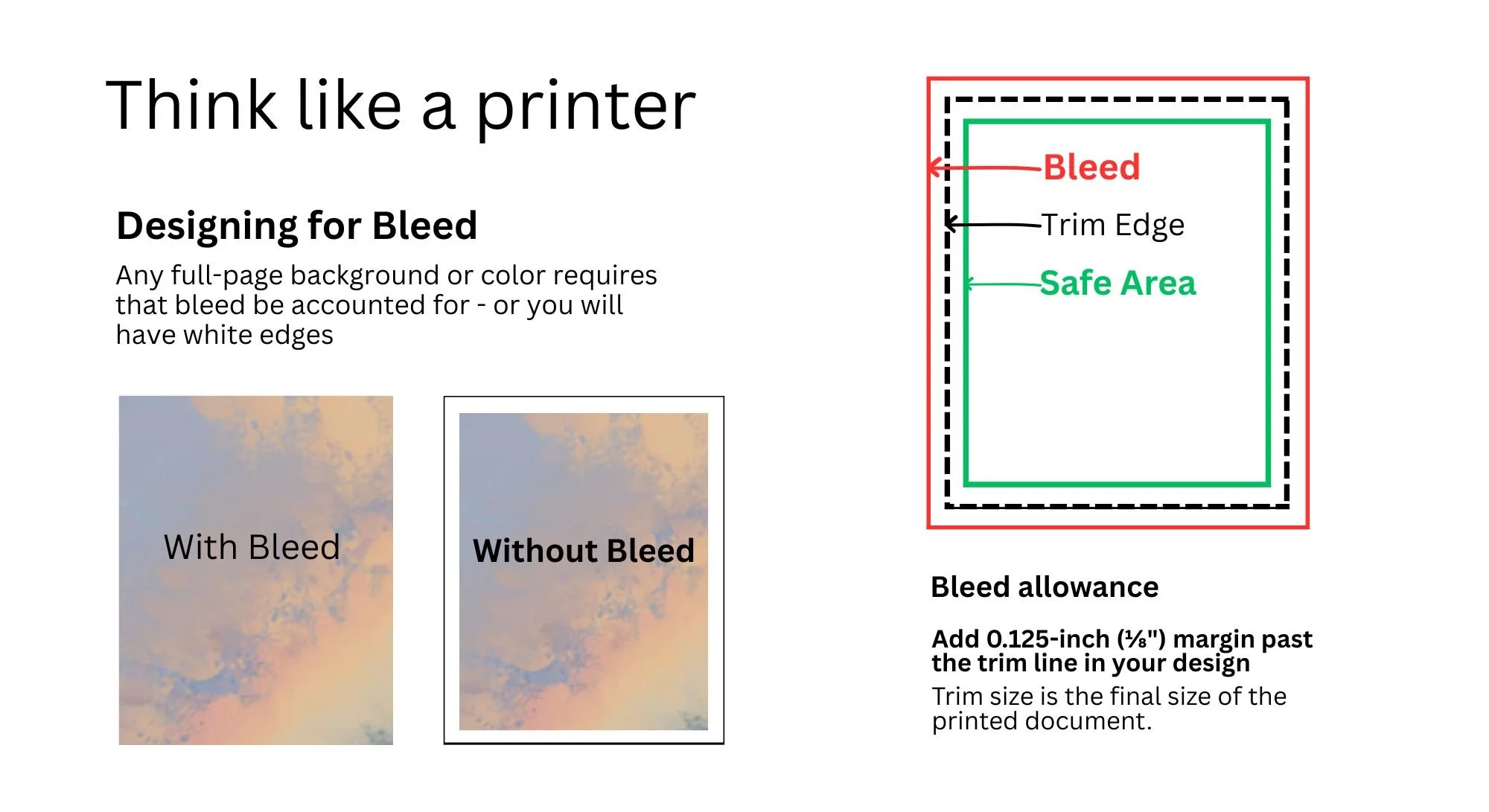
If you’ve ever prepared a file for print—whether a flyer, business card, or brochure—you’ve probably heard your printer ask, “Did you include bleed?” Bleed is when an image or color extends beyond the trim size (in our example, this is 5.5” x 8.5”). It ensures that when the piece is cut to size, there are no unwanted white edges.
How to Add Bleed Correctly
Add a 0.125-inch (⅛") margin on all sides of your brochure so color and images extend past the trim line.
Keep text, logos, and important elements at least 0.25 inches inside the trim area to prevent them from being cut off.
What is ‘Creep’ (Shingling)
Here's a technical consideration many designers miss: creep, also called shingling. This applies to booklets that are over 48 pages. Inner pages physically protrude slightly beyond outer pages when the booklet is folded. If your design has elements aligned to the edge/fold, they'll appear progressively more "off" as you move toward the center pages.
This small technical detail makes the difference between amateur and professional-looking booklets.
Ready to start planning your booklet printing?
At AV Graphics, we know that great print results start with properly prepared files and paper choices that match your goals and budget. Contact us with questions about page count, paper selection, file setup, bleed, or creep—we’re here to help at every step.